Two-finger salute
Reliable- Extend your index and middle fingers, fold the others.
- Bring your fingertips close to your forehead.
- Hold for half a second.
Preview. Payment is disabled in this preview: the buy buttons show you the rest of the flow without charging anything.
Payment canceled. You were not charged. Try again whenever you like.
Payment temporarily unavailable. Please try again in a moment; you were not charged.
Extension for Microsoft Teams on the web
One gesture in front of your webcam, a puff of smoke, and you leave the meeting in style. Everyone sees it.
Chrome and Edge, on Windows and Mac Your video is analyzed on your computer
How it works
In Chrome or Edge, then open Teams in your browser at teams.microsoft.com.
Click “Take the photo” and step out of frame for 5 seconds: VanishCam remembers the empty room.
A two-finger salute and you vanish. The same gesture brings you back.
Pick one
Teleport is on the house, with a small watermark. The other 7, with their sound effects, unlock for €3.99, one-time payment.
Streaks of light, and you fade away.
Poof! A log takes your place.
Swept away by a whirl of leaves.
Your clones pop one by one.
Swallowed by the fog.
Crumbling away, grain by grain.
One flash, nobody left.
Sucked into a spiral.
Triggers
The two-finger salute is free. The other gestures and the ninja seals come with the full version. Every trigger has its own illustrated guide in the extension.
 Two-finger saluteGesture · reliable · free
 Hand waveGesture · reliable
 Palm swipeGesture · reliable
 Clone crossGesture · experimental
 Hand over one eyeGesture · experimental
 Finger snapGesture · experimental
 Tiger sealNinja seal · experimental
 Snake sealNinja seal · experimental
 Dog sealNinja seal · experimental
 Horse sealNinja seal · experimental
 Monkey sealNinja seal · experimental
 Dragon sealNinja seal · experimental
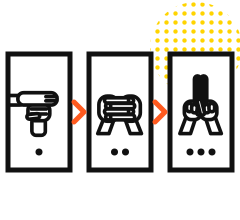 Dog → Snake → TigerCombo · experimental
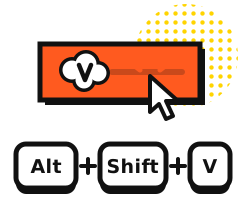 Button or shortcutAlt + Shift + V · free
Sound effects
Every transition has its sound effect. It's mixed into your mic at a low volume: the meeting hears the “poof”, and so do you. Adjustable volume, or “Only me”, or “Off”.
Pricing
Try it free with Teleport. If you like it, unlocking everything costs less than a matcha.
€0no card needed
€3.99one-time payment, no subscription
Go premium to support this project: VanishCam is independent, with no account and no trackers, and your purchase keeps it alive.
Secure payment by Stripe One-time payment, no subscription Instant access
Privacy
Gestures are recognized on your machine. Teams gets your video as usual; nothing else leaves.
No sign-up, no password. One license key, that's it.
In Chrome or Edge, at teams.microsoft.com. The Teams desktop app is not supported.
Installation
VanishCam is coming to the Chrome Web Store. It will install in one click in Chrome, and in Edge too, which accepts Chrome Web Store extensions.
Then open Teams in your browser, click the VanishCam icon and follow the guide.
Questions
No. VanishCam works with Teams in your browser, at teams.microsoft.com, in Chrome or Edge, on Windows and Mac.
Yes: the effect is in your video, like a real magic trick. The sound effect too, if you choose “Whole meeting”.
No. Gestures are recognized on your computer and the empty-room photo stays there. Teams gets your video as usual; nothing else leaves.
If you pay from the extension, it activates by itself. Otherwise, the confirmation page gives you a key to paste into the extension, under “I already have a key”.
Card, Apple Pay and Google Pay, on Stripe's secure payment page. We never see your card details.
Go to Find my purchase with the email address you used to pay.
Your key works in all your browsers: paste it into the extension, under “I already have a key”.
A small “VanishCam” appears during the free transition. It disappears as soon as you get the full version.
In the free version, a small message about the full version may appear in your Teams tab, never during a meeting and at most once a day. You can turn it off with one click or in the extension settings.
The gestures (salute, wave, palm swipe) are the most reliable. Ninja seals take a little practice: good lighting and hands clearly visible, facing the camera.
Teleport is free: try it before you pay. A problem after buying? Write to us, we'll help.